How to Manage Multiple Social Media Accounts Without Bans
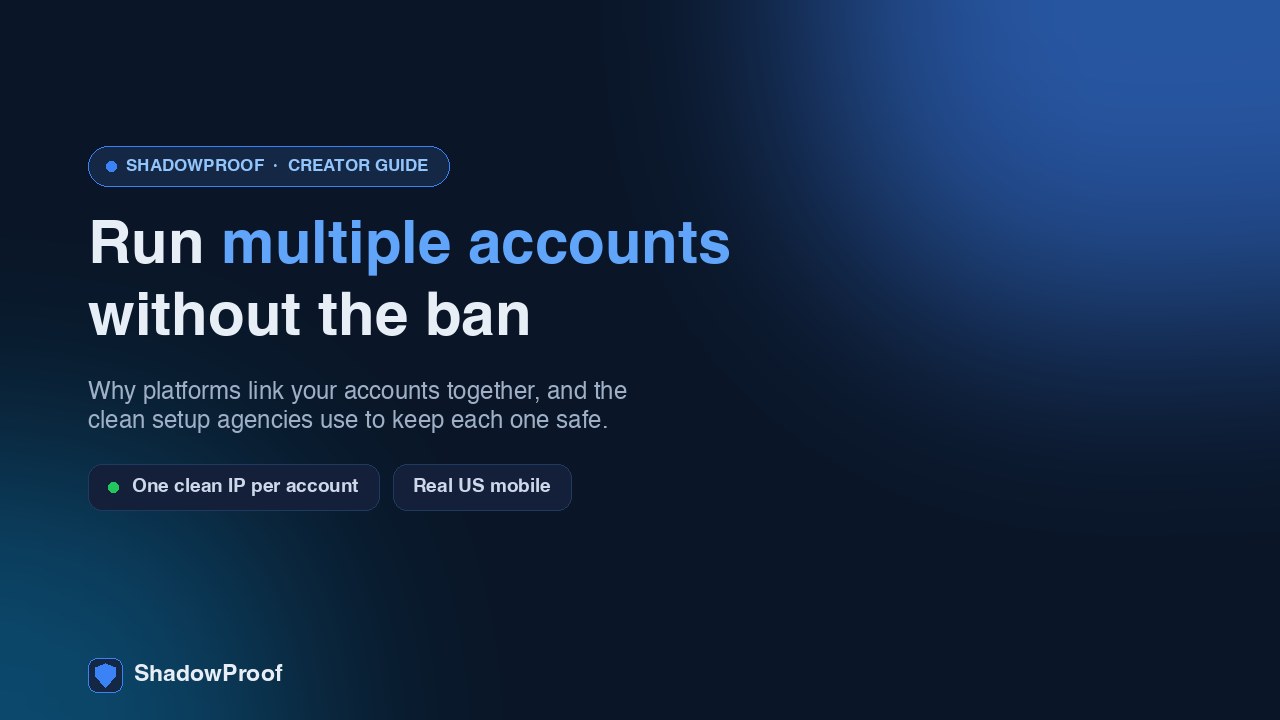
You run accounts for a living. Maybe it's three brands, maybe it's a dozen client profiles across TikTok, Instagram, and a couple of other platforms. Everything is legitimate, everything is real content for real businesses, and then one Tuesday two accounts get limited at the same time for no obvious reason. A third stops showing up in search. Welcome to the part of social media management nobody warns you about: the platforms are very good at figuring out that a bunch of "separate" accounts are actually one person at one desk, and once they connect them, a problem on one can knock down the rest.
This is a guide to keeping that from happening. It's written for social media managers, small agencies, and creators who run more than one account the honest way. Not bot farms, not fake engagement, not ban evasion. Just real accounts that you'd like to keep alive and reaching people.
How platforms link your accounts together
No platform tells you exactly how it does this, but the broad strokes are well understood across TikTok, Instagram, X, and the rest. They don't just look at your login. They build a profile of who is behind an account from a set of signals, and when those signals overlap across accounts, the accounts get tied together in the background.
The four that matter most:
- The same IP address. Your IP is the return address on all your traffic. If ten client accounts all post from one office IP, that single fact looks like a small operation running many accounts. Real, unrelated people almost never share one IP all day long.
- The same device fingerprint. Your phone or browser has a fairly unique signature: model, OS, screen size, fonts, timezone, language, and dozens of smaller details. Log five accounts into one browser or one phone and the platform sees the same machine every time.
- The same phone number or email recovery. People reuse one recovery number or a single Gmail across a whole batch of accounts. That's a direct, hard link that ties them together instantly.
- Similar behavior patterns. Posting at the same minutes every day, the same captions, accounts liking and following each other, identical posting cadence. Coordinated behavior between accounts is exactly what platforms look for.
Why one weak signal sinks the whole batch
Here's the part that catches managers off guard. You don't need all four signals to overlap. Often one strong link is enough for the platform to treat a cluster of accounts as a single entity. Once they're clustered, enforcement stops being per-account. A strike, a shadowban, or a full ban on one can cascade across everything in the cluster.
So your nightmare scenario isn't one account getting limited. It's the platform deciding that all nine of your client accounts are the same operation, and acting on all nine at once. That's how a single shared IP turns a small annoyance into a very bad week.
Why the same IP is the most dangerous link
Of the four signals, IP is the one most people ignore and the one that does the most damage. There are two layers to the problem.
The first layer is the pattern. One IP, many accounts, all active in the same windows is the literal shape of a click farm. The platform can't read your intent. It can't tell a legitimate agency managing real clients from someone spinning up fakes to inflate engagement. It sees the shape, and the shape of "many accounts, one IP" is the shape of abuse.
The second layer is the IP's own reputation. Most people running multiple accounts eventually reach for a proxy or a VPN to spread accounts across different IPs. The problem is the kind of IP they end up on. Cheap datacenter and ordinary VPN IPs carry terrible reputations because spammers used them first. You can check this yourself. Run an IP through a fraud-score tool like ipqualityscore.com and a typical recycled T-Mobile proxy comes back with a fraud score around 84 and shows up on blacklists. That IP is already burned before you post a single thing.
A clean IP scores 0 and isn't flagged as a proxy or VPN at all. If you want the full breakdown of what that score measures and why it matters, we wrote a separate piece on what a clean IP and fraud score actually mean. The short version: the IP you assign to an account is part of that account's reputation, whether you think about it or not.
The operational setup that actually works
Running multiple accounts safely is mostly an operations problem, not a content problem. You're trying to make each account look like what it is: a separate real person or brand, in a separate place, behaving like a human. Here's the setup that gets you there.
One clean IP per account or client
This is the foundation. Each account, or at minimum each client, should post from its own dedicated IP that nothing else of yours touches. Shared IPs reintroduce the exact link you're trying to break.
And the IP type matters as much as the separation. A real US mobile IP, an actual phone on a US carrier network, is the gold standard because that's what a normal user looks like. Carriers route thousands of real people through shared mobile addresses, so mobile IPs carry trust that datacenter ranges never will. This is where ShadowProof fits: it routes a device through a real US 5G mobile IP that scores 0 on fraud checks and isn't detected as a VPN or proxy, system-wide and with one tap. Ideally you give each account its own clean dedicated mobile IP so nothing overlaps. If you want a deeper comparison of IP options, here's our take on the best mobile proxy setup for this kind of work.
Start with a clean dedicated IP per account
Separate browser profiles or app containers
A clean IP fixes the network signal but not the device one. If you log five accounts into the same Chrome profile, the platform still sees one machine. Keep each account in its own isolated environment:
- A dedicated browser profile per account, or an anti-detect browser if you're at agency scale.
- On mobile, a separate device or container per account where you can manage it.
- Don't cross-login. Once you've assigned an account to an environment, keep it there.
Separate logins and recovery info
Stop reusing recovery details. Every account gets its own email and, where the platform requires it, its own phone number. Keep these in a password manager so the separation is something you maintain on purpose rather than hope for. One shared recovery email can undo every other precaution you've taken.
Human-paced behavior, no aggressive automation
Automation tools that mass-post, mass-follow, or mass-like are the fastest way to get a cluster flagged, and most of them violate platform terms anyway. Schedulers that simply publish a post you wrote are fine. Bots that simulate engagement are not. Vary your posting times. Don't have your accounts interact with each other in obvious loops. The goal is that each account behaves like one busy human, because that's exactly what's behind it.
Account hygiene that keeps you out of trouble
Setup gets you started. Habits keep you safe. A few that matter more than people expect:
- Don't reuse identical content everywhere. The same video or caption posted across multiple accounts is a strong signal that they're coordinated. Change the hook, the edit, the wording. Treat each account as its own voice.
- Warm up new accounts. A brand-new account that immediately posts ten times and follows two hundred people looks automated. Spend the first week or two browsing, watching, and posting lightly before ramping up. We cover the cadence in our TikTok account warm-up guide, and the same logic carries to other platforms.
- Keep recovery info genuinely separate. Worth repeating because it's the most common slip. One number, one email, per account.
- Don't switch a settled account between IPs. Once an account lives on a clean IP, keep it there. Bouncing a single account across a residential IP today and a mobile one tomorrow looks like exactly the kind of evasion platforms watch for.
- Audit your IPs before you trust them. Before assigning an IP to a client account, check its fraud score. Inheriting a burned IP is a self-inflicted wound. If you also juggle multiple accounts on one platform specifically, our guide to running multiple TikTok accounts without a ban goes deeper on the platform-specific traps.
What this costs versus what a ban costs
The honest math is simple. Losing a client account, or a batch of them, costs you the client, the rework, and your reputation as a manager. A clean dedicated IP per account is cheap insurance against that. ShadowProof runs $5 for a 24-hour Day Pass if you just want to test it, $29.99 a week, $59.99 a month, or $499 a year per clean IP. For an agency, that's a rounding error against the value of the accounts you're protecting.
One caveat worth stating plainly: nobody can guarantee an account never gets actioned. Platforms change their rules, mistakes happen, and a clean IP is one strong layer, not a magic shield. What it does is remove the single most common and most damaging reason accounts get linked and limited together. Pair it with separate environments, separate logins, and human-paced behavior, and you've handled the things that are actually in your control.
Frequently asked questions
How do I manage multiple social media accounts safely?
Keep every account genuinely separate. Give each one its own clean IP, ideally a real mobile IP, its own browser profile or device, and its own email and phone for recovery. Avoid aggressive automation, don't post identical content across accounts, and warm up new accounts slowly. The core idea is that each account should look like a separate real person, not part of a cluster running from one place.
Do accounts get banned for using the same IP?
Not automatically, but a shared IP is one of the strongest signals platforms use to link accounts together. Once accounts are linked, a problem on one can cascade to all of them. Many accounts posting from one IP looks like a click farm regardless of intent, so a dedicated clean IP per account removes that risk.
What proxies do social media agencies use?
Serious agencies avoid cheap datacenter and ordinary VPN IPs because those carry bad reputations and are easily detected. The preferred option is a clean residential or mobile IP, with real mobile IPs being the strongest because they look like a normal phone on a carrier network. ShadowProof provides real US 5G mobile IPs that score 0 on fraud checks and aren't detected as a proxy or VPN.
How many accounts can I run on one IP?
For safety, treat it as one account per clean IP, or at most one client per IP. The more accounts you stack on a single IP, the more it looks coordinated. If you must group, keep it tight and keep behavior human-paced. The cleanest approach for a manager or agency is a dedicated IP per account so nothing overlaps.
Give your account a clean US mobile IP
ShadowProof routes your phone through a real US 5G mobile IP with a clean reputation, the kind social networks trust. One tap, no datacenter footprint. Test it with a $5 day pass.